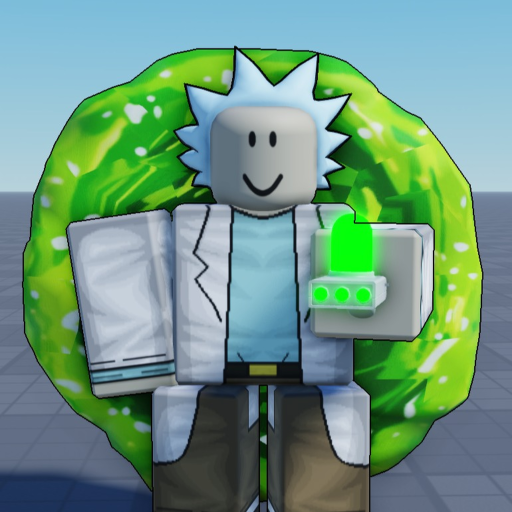
Portal Sandbox Blender Dimension: Entry Order
Blender Dimension
- Keyboard sequence: Press F for Blender Dimension before entering a portal.
- Different action: T selects Portal Gun. Selecting that tool does not replace the separate Blender instruction.
For Portal Sandbox Blender Dimension, the important instruction is F before entering a portal. Make the Blender choice while you are still outside, then enter. This page is about that entry order, rather than a promised damage outcome or a particular reward inside the dimension.
Choose Blender while you are still outside
Do not leave the Blender input until the crossing is already happening. Stop short of entering, decide that Blender is the action you want, and make the F input first. Then continue into the portal. Separating the choice from movement makes the order easier to carry out deliberately.
You do not need to turn the sequence into a race. If another player or a crowded scene is distracting you, wait for a calmer opportunity to practise it. That is a learning suggestion, not a hidden requirement to use a private server or a special portal. The useful condition remains the one in the control instruction: F comes before entry.
Keep T and F in different jobs
T is Portal Gun; F is Blender Dimension. Remembering the Portal Gun key alone does not cover the Blender action. If your last attempt involved pressing T and crossing immediately, return to the Blender selection step instead of assuming the two controls are interchangeable.
The Portal Gun guide explains the tool and its optional named variants. Use it if selecting the gun itself is the obstacle. For a Blender attempt, keep your attention on the added choice and its order. A paid gun name, another player’s appearance or a different UI color should not be treated as a substitute for the listed Blender input.
Correct a mistimed attempt
If you pressed F only after entering, make the next attempt with the order reversed: choose Blender first, cross second. Change that one part before changing every other control. This gives you a clear correction to apply rather than several unrelated guesses about the destination.
If F produces no apparent response while you are still outside, make sure your keyboard focus is in the game and an open chat or menu is not taking the input. Then try once in a readable situation. Those checks address ordinary input handling; they do not establish a special cooldown, an extra unlock or a guaranteed effect after entry. When the problem is broader than Blender, use portal troubleshooting.
Keep the attempt readable on a small screen
On touch controls, make the visible Blender choice before crossing as well. The keyboard letter tells you the desktop binding, not the location of a phone button. The mobile controls guide helps separate movement, camera attention and action selection without guessing a universal layout.
Once you can carry out the entry order, choose what you want to learn next. You might return to ordinary travel, practise a weapon, or work on reaching for regeneration deliberately. Blender is one action in the toolkit, so it does not need to become the answer to every travel or combat problem. Keep the result of each attempt separate from the order you used, and describe a repeated issue with the action and timing that actually occurred.