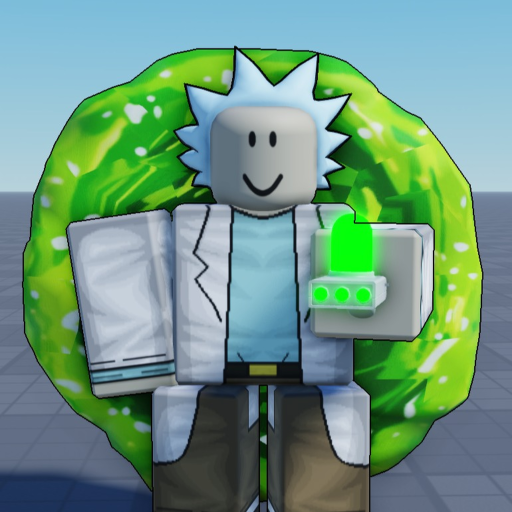
Portal Sandbox Updates: More Content Announcement
Updates
- Announced content: The More Content event names Bounties and More Upgrades.
- Status matters: The captured official listing presents it as an upcoming event, not a complete released patch list.
The Portal Sandbox update announcement More Content names Bounties and More Upgrades. Treat those as the advertised event scope, rather than assuming every named feature has already shipped. This page helps a returning player separate an announcement from the controls and activities they can prepare to use.
What the More Content event announces
The named event highlights Bounties and More Upgrades. Those names tell you the direction of the announcement, but they do not by themselves provide a bounty reward table, an upgrade price list or a release-by-release history. Keep the announced scope intact instead of turning a short event description into a detailed patch that the listing does not contain.
The status below records the announcement check. Use the official experience destination in the Footer when you want to compare a later event listing. A future announcement and a released feature answer different questions: one tells you what the creator is promoting, while the other needs an actual current feature or released change to explain.
Reported available onPrepare the controls you will actually use
A returning player can prepare the existing toolkit without guessing the next update. T is Portal Gun, Q is Knife, E is Regenerate and X is Laser Pistol. Blender Dimension uses F before entering a portal. The control reference is the useful next stop if those actions are unfamiliar.
Choose a manageable return-session goal: get comfortable with travel again, practise a weapon or remember recovery deliberately. This gives you something concrete to do while keeping future bounty and upgrade questions separate. Do not assume that a familiar franchise name or an older creator video establishes the current input for a different Roblox experience.
Read a new feature as a separate decision
When you encounter a new feature, first distinguish what it offers from whether you want to spend time or currency on it. A name such as Bounties suggests a topic to investigate, but the announcement alone should not become a promised payout, target rule or fastest farming method. Keep your existing budget and practice goal until the actual choice is clear.
The same principle applies to upgrades: identify the advertised effect before deciding it solves a problem. Confusing two keys is a control issue, while choosing a useful upgrade is a different decision. You do not need to rush a purchase because an event mentions more content, and you should not treat an optional pass as evidence that a particular announced system has been released.
Separate a bug from a pending change
Portal Sandbox is described as a beta that may have bugs and has future features planned. If an existing action repeatedly fails, follow the beta issue guide rather than assuming the future event will fix it. Include the action, visible result and whether the problem repeats.
If the existing actions work, use the how-to-play guide to choose the next activity instead of waiting for an imagined patch requirement. This update page keeps the named announcement and its status together. The rest of the wiki provides actual control, travel and combat decisions you can use in a session without inventing a release date, a reward amount or a complete history from a short event description.